Credit and debit notes
Any correction to an issued invoice is made with a note that references the original invoice.
| Note | Paper type | Electronic type | Where it is created |
|---|---|---|---|
| Credit | 04 | 34 | Returns tab of the invoice |
| Debit | 03 | 33 | New invoice, choosing the receipt type |
Credit and debit note controls
When saving a note, the plugin rejects it with a message if:
- The sign is wrong. A credit note (04 or 34) must subtract: negative quantities or prices (the Returns tab already does this). A debit note (03 or 33) must add: positive amounts.
- The credit note exceeds the invoice. Its total, added to that of the other active (not cancelled) documents with a negative amount for the same invoice, cannot go over the total of the invoice it modifies. A debit note has no cap.
- The modified invoice is not valid. It must be active (not cancelled) and belong to the same customer or supplier, the same company and the same currency as the note.
- A negative document that rectifies an invoice is not a credit note. If it rectifies an invoice with a negative amount, the type must be 04 or 34.
Notes saved before version 1.37
These checks run every time a note is saved, including when editing an existing one. A note created with an earlier version that breaks a rule (for example a credit note with a positive amount) cannot be saved again until it is fixed. Notes without an original invoice are only validated by their sign.
To credit or charge an amount without products, create the note with a line without a product: negative on the credit note and positive on the debit note. In the 606 and 607 that line is reported as goods.
Credit notes: Returns tab
Open the original invoice and go to Returns. Notes already issued are listed on top with their NCF.
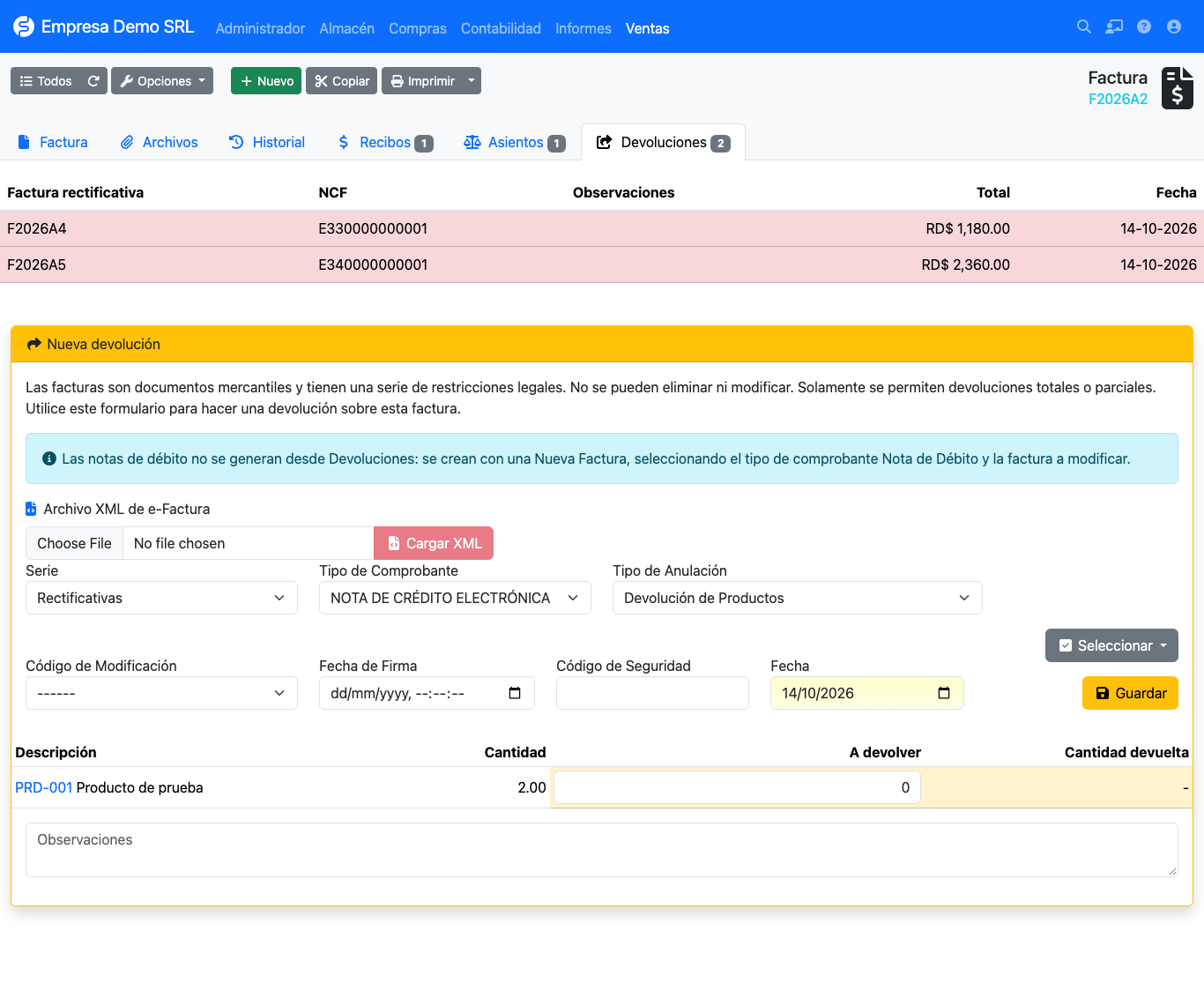
In the New return form:
| Field | Description |
|---|---|
| Load XML | Fills NCF, type, date, signing date and security code from an already signed e-CF XML. |
| Series | Rectifying by default. |
| Receipt type | 04 is proposed for paper invoices and 34 for electronic ones. |
| Cancellation type | Reason, default Product return. |
| Modification code | What the note corrects: 1, 2 or 3. See codes. |
| Signing date / Security code | e-CF data, when issued by another system. |
| To return | Quantity per line. Select → All returns the whole invoice. |
On save the note is created with its NCF, linked to the original invoice. If no other type is chosen, the plugin assigns 04 (or 34 when the original invoice is electronic) and takes the NCF from that range; before, the note inherited the customer's type and consumed a B01 NCF.
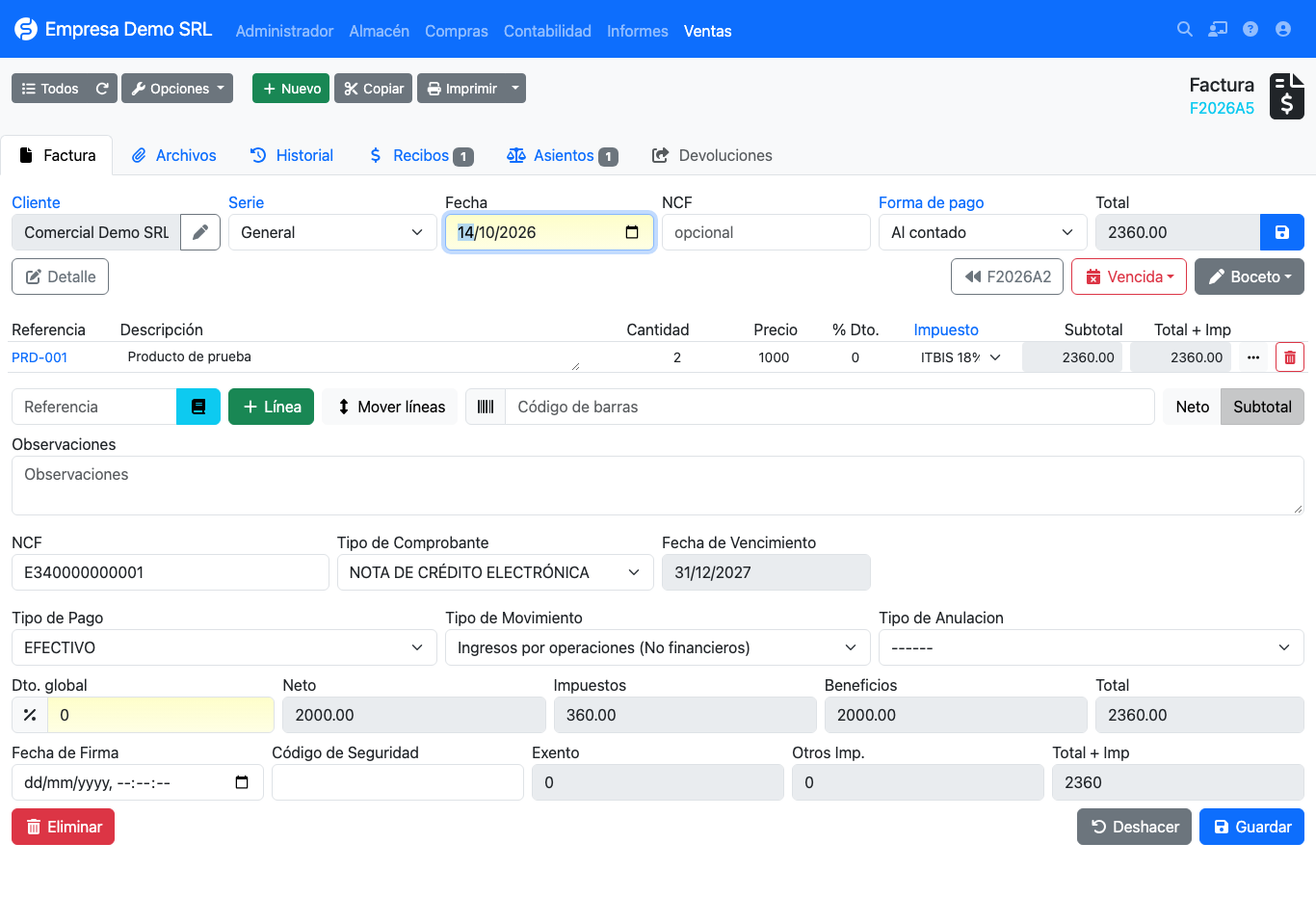
Debit notes
Debit notes do not come from Returns
A debit note adds to the original invoice, so it is created as a new invoice. The Returns tab shows a notice saying so.
- Create a new sales invoice for the same customer.
- In Receipt type choose Electronic debit note (33).
- Two new selectors appear:
- Invoice to modify: invoices of the same customer and company (the 200 most recent).
- Modification code: 1, 2 or 3.
- Add the concept or amount to increase on the lines and save.
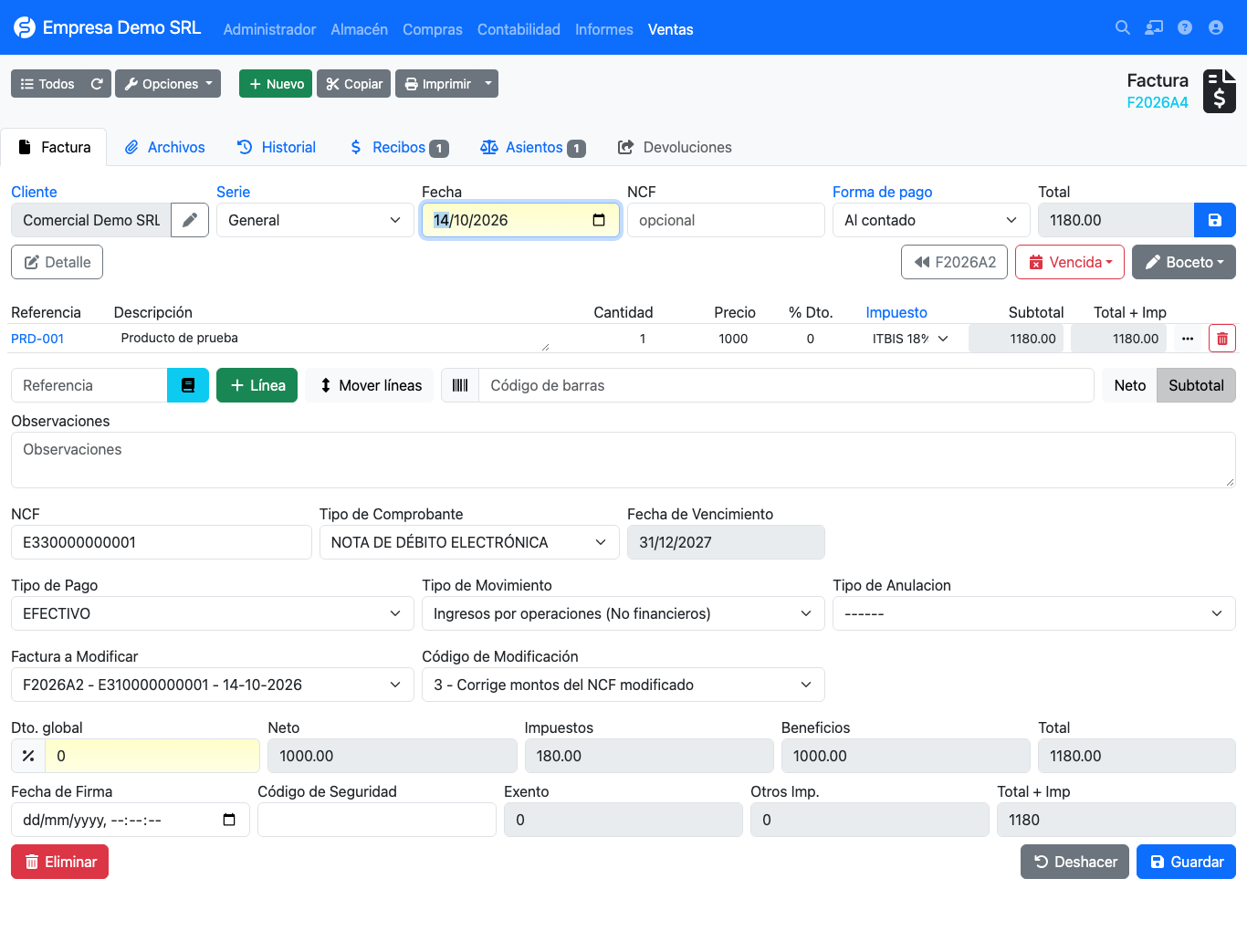
The selectors are shown only when the type is 33 and are cleared if you switch to another type. On save the plugin validates that the invoice belongs to the same customer and company, and is not the document itself.
Where it is reported
The modified invoice is stored as the note's rectified invoice. That is why the original NCF appears in the Modifies column of the 606 and 607 reports, and the PDF prints the modified NCF and the modification code.