Purchase invoices
On the supplier invoice the NCF is given by the supplier, so it is typed by hand and the plugin offers a duplicate check.
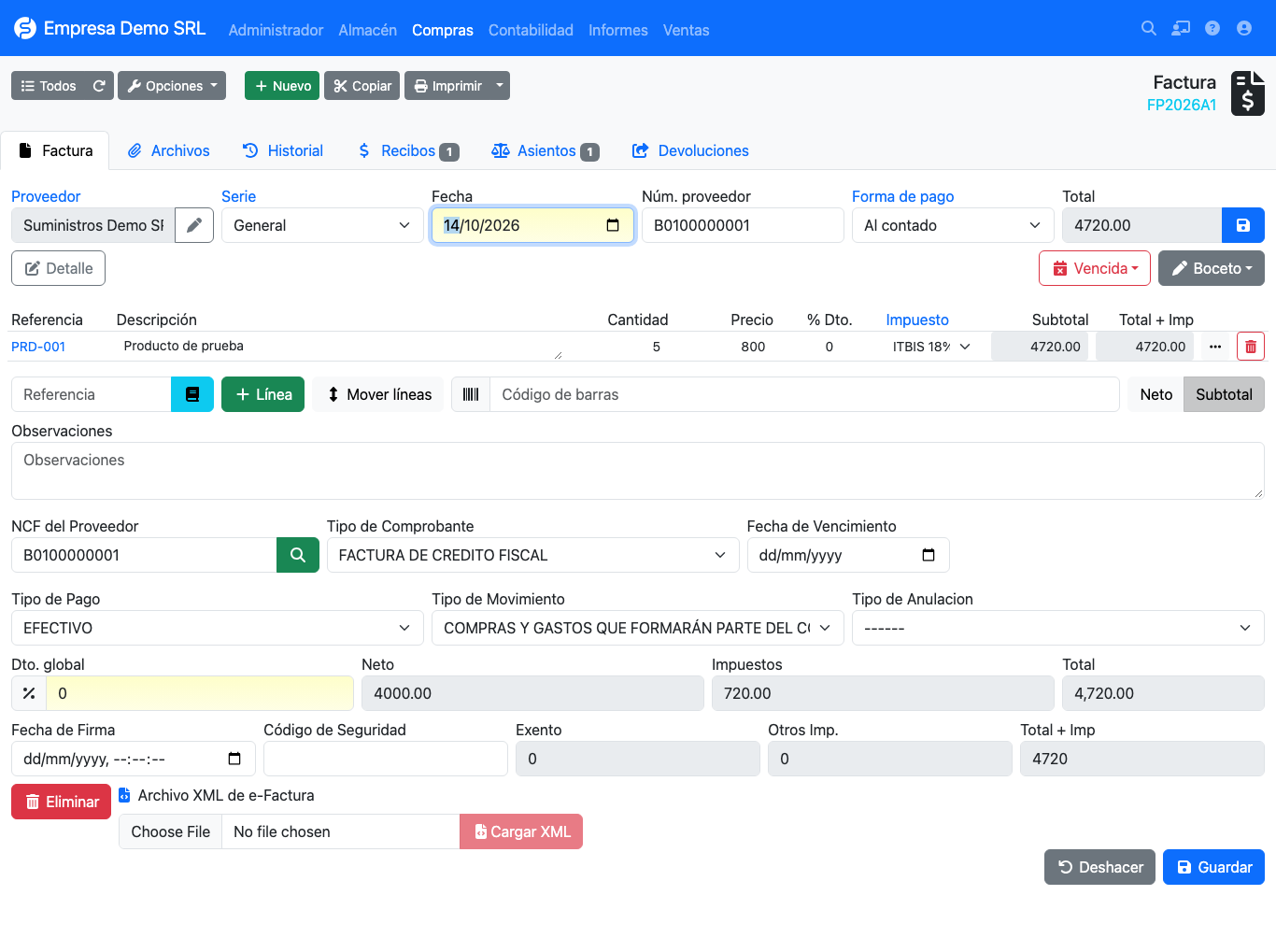
Fiscal fields
| Field | Description |
|---|---|
| Supplier NCF | Number of the receipt received. A search button checks whether it was already recorded. |
| Receipt type | Only types flagged for purchases in the catalog are listed. |
| Expiry date | Validity of the supplier's NCF. |
| Payment type | Agreed payment method. Default Cash. |
| Movement type | Expense classification (01–11, default Purchases and expenses forming part of cost of sales). |
| Cancellation type | Reason, for cancelled receipts. |
Checking an NCF before saving
Type the NCF, pick the supplier and press the magnifier button next to the NCF field.
- If the NCF does not exist for that supplier, the button turns green and the plugin fills the Receipt type from digits 2 and 3 of the NCF. It does not propose an expiry or signing date: they come from the XML or you type them.
- If it was already recorded, the button turns red and a warning shows the invoice and date where it exists.
Receipts issued by your company
Receipts 11 (purchases), 13 (minor expenses), 41 and 43 (electronic equivalents) are issued by your own company when buying from someone who does not provide a receipt. For those the plugin generates the NCF from your ranges, as in sales.
Reports
Invoice data feeds the 606 report: it separates services from goods using the product's Is service field, and reports ITBIS, ISC and other taxes from the lines.
Uniqueness
The plugin does not enforce a unique NCF index on supplier invoices, because two different suppliers can issue the same number. Duplicate control is the magnifier-button check, which looks the NCF up for the same supplier.
Withholdings
To withhold ISR or ITBIS from the supplier see Withholdings.