Sales invoices
The FacturaScripts customer invoice gets a block of fiscal fields below the observations.
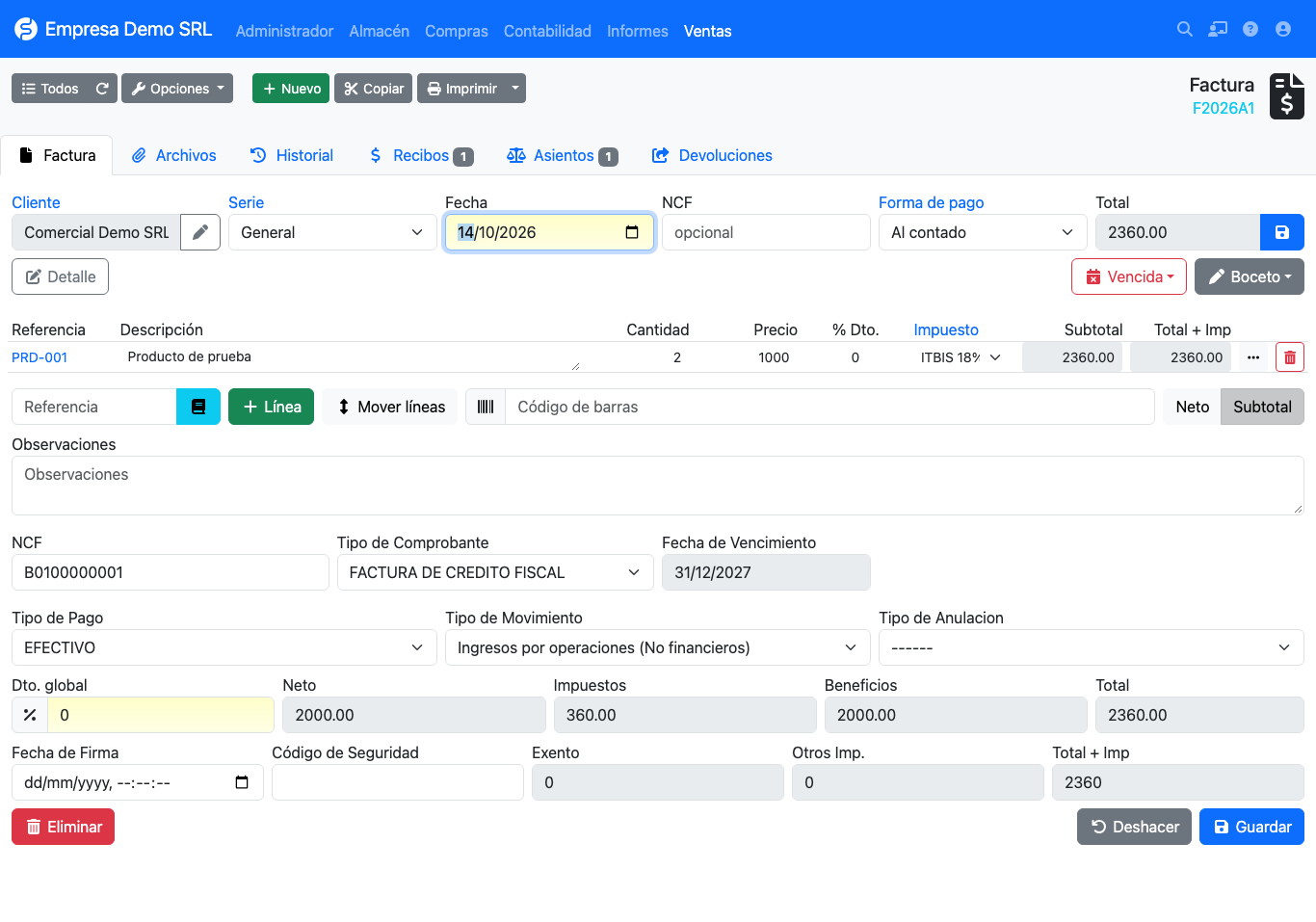
Fiscal fields
| Field | Description |
|---|---|
| NCF | Receipt number. Leave empty so the plugin generates it on save; if you type one it is respected. |
| Receipt type | Defaults to the type set on the customer. Changing it checks that a sequence is available. |
| Expiry date | NCF validity; the range's date is proposed if the field is empty. A typed or already saved date is not overwritten. |
| Payment type | DGII payment method (cash, check/transfer, card, credit...). Feeds the 607. |
| Movement type | Income classification (default Income from operations). |
| Cancellation type | Reason, only when the receipt is cancelled. |
| Signing date / Security code | e-CF data. See electronic receipts. |
| Exempt / Other taxes / Total + tax | ITBIS-exempt total, additional taxes total and the total including them. Read only. |
Normal flow
- Create the invoice and choose the customer. Receipt type and payment type are filled from the customer form.
- Add lines. If the product carries ISC pick it in the line modal.
- Review the Receipt type and save.
- On save, the plugin assigns the NCF from the next sequence of the active range and copies the range expiry date to the document.
Already issued invoices
Once the invoice is closed, the fiscal fields are read only. To correct it use a credit or debit note.
NCF uniqueness
Two sales invoices of the same company cannot share an NCF. If a range was misconfigured and repeats a number, saving fails with a duplicate error.
Printing
The invoice PDF prints the receipt type, NCF and expiry date. For e-CF it also prints the QR code, security code and signing date, and for notes it prints the modified NCF and modification code.
Withholdings
If the customer withholds ISR or ITBIS from you see Withholdings.