Fiscal reports
Reports → Dominican Republic → Fiscal reports gathers the reports filed with the DGII.
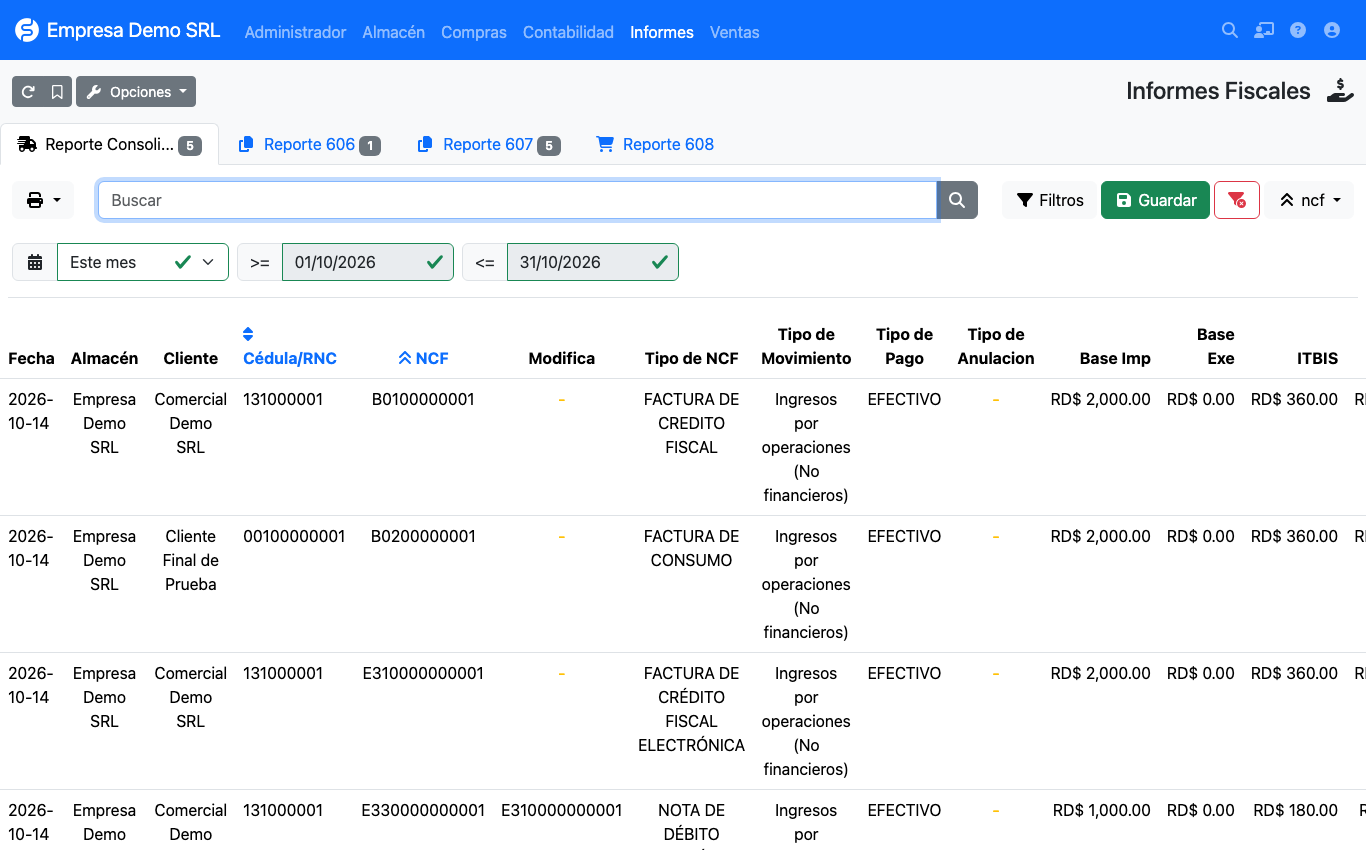
| Tab | Content |
|---|---|
| Consolidated report | All sales invoices of the period, with ITBIS, NCF type, movement, payment and cancellation. Useful for reconciling. |
| Report 606 | Purchases of goods and services (supplier invoices). |
| Report 607 | Sales of goods and services (customer invoices). |
| Report 608 | Cancelled receipts. |
Filtering by period
The default period is the previous month
The page opens on the previous month, which is normally the one you file. To see the current month change the period selector to This month or enter start and end dates.
Report 607 (sales)
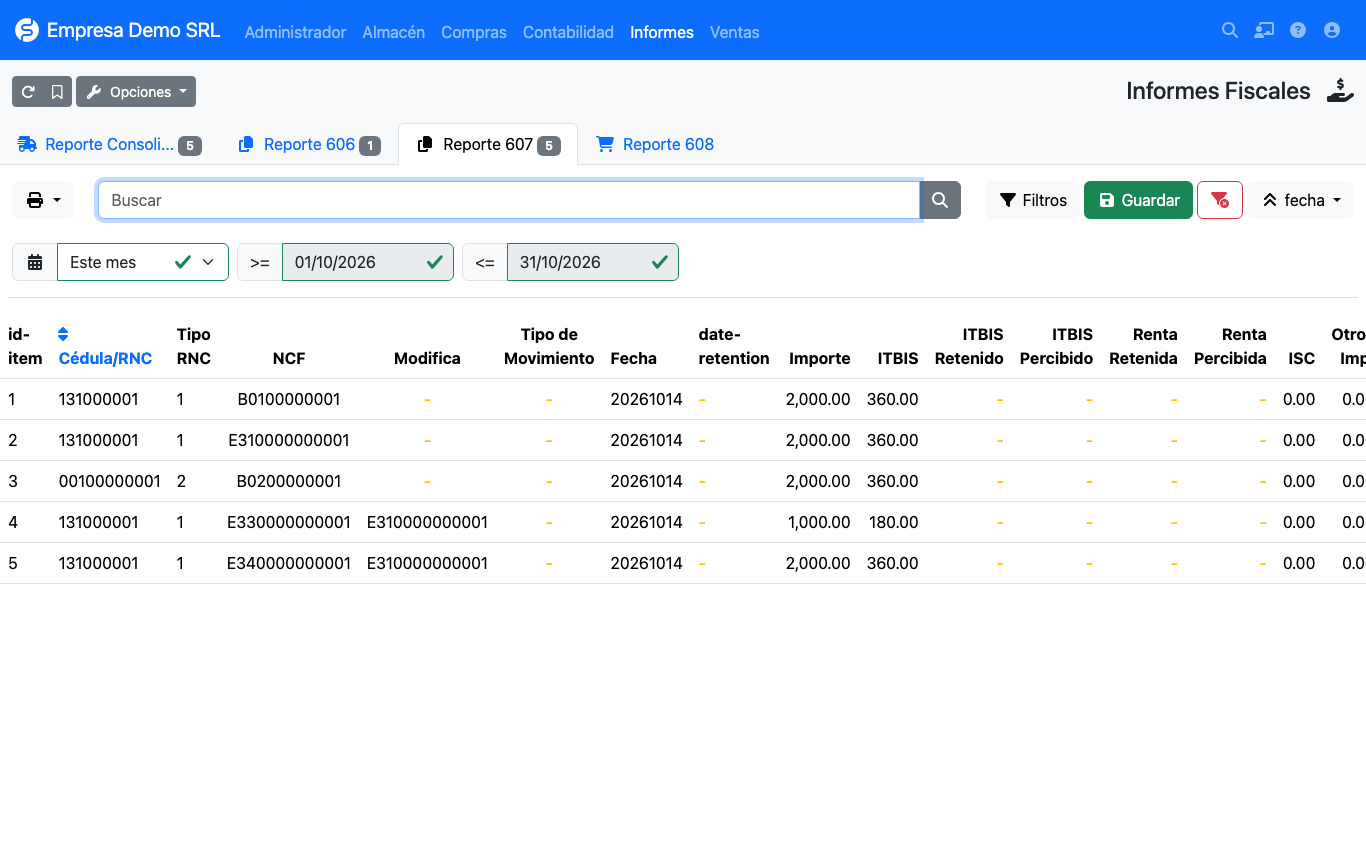
For every invoice in the period it shows:
- customer RNC or ID and identification type;
- NCF and, on credit and debit notes, the modified NCF;
- movement type (income) and date;
- amount, ITBIS, ISC, other taxes and legal tip;
- breakdown by payment method: cash, check/transfer, card, credit, vouchers, barter and other;
- status (Active or Cancelled).
Credit notes are reported with positive amounts, in the report and in the TXT, together with the NCF they modify. Invoices in Cancelled status do not appear in the 607 or its TXT: they are reported in the 608.
Report 606 (purchases)
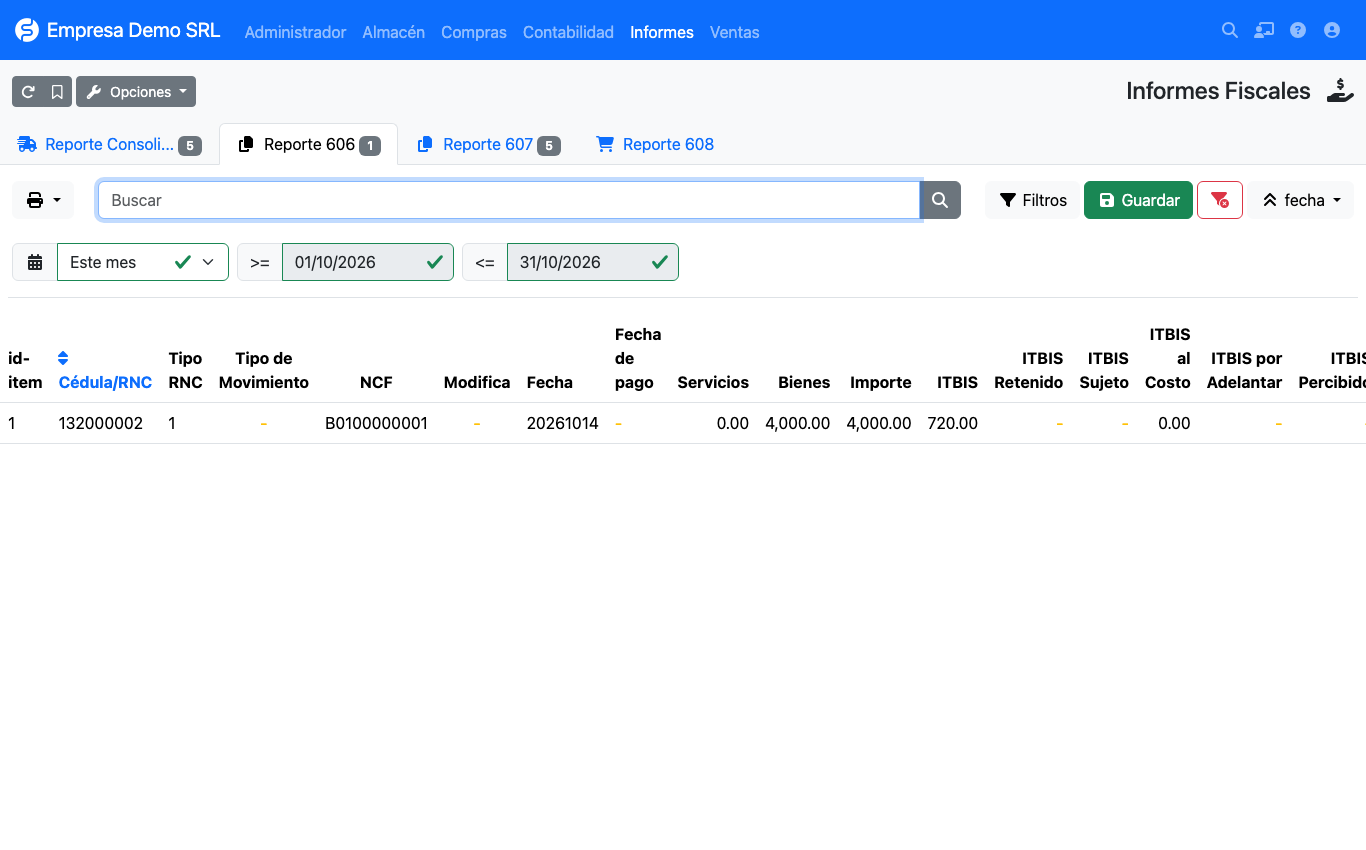
Per supplier invoice it shows: RNC, expense type (movement type), NCF and modified NCF, receipt and payment dates, amount in services and goods (from the product's Is service), billed ITBIS, ISC, other taxes and legal tip.
Withholding columns
The 606 and 607 tables show, with the DGII names, what was withheld on each invoice: ITBIS Withheld, ISR Withholding Type and Income Tax Withheld Amount in the 606; ITBIS Withheld by Third Parties, Income Tax Withheld by Third Parties and Withholding Date in the 607. The TXT includes them. See Withholdings.
Report 608 (cancelled)
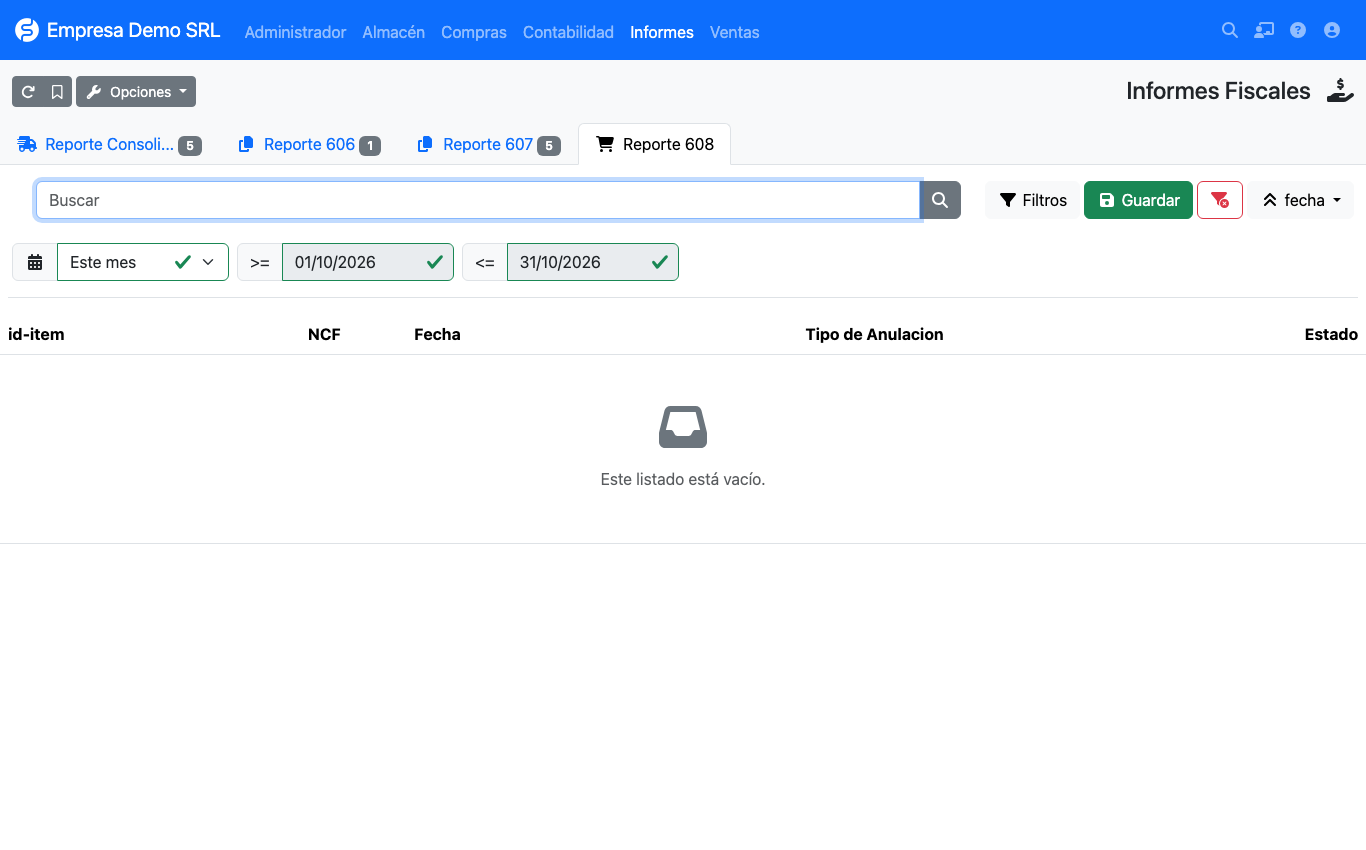
Lists cancelled NCFs with the cancellation type and date. For an invoice to appear here set it to the Cancelled status and record the Cancellation type.
Exporting for the DGII
On each tab (606, 607 or 608) use the print/export button and choose TXT DGII. The plugin generates a file named:
DGII_F_<report>_<company RNC>_<year>_<month>.TXT
The first line is the header: report|RNC|YYYYMM|record count, followed by one record per line with fields
separated by |.
Validate before filing
Always compare the TXT with the DGII's official templates before uploading it. Still to be verified: the ISC, other taxes and legal tip columns in the TXT, the 606 payment date and the sign of electronic credit notes (34). See Limitations.